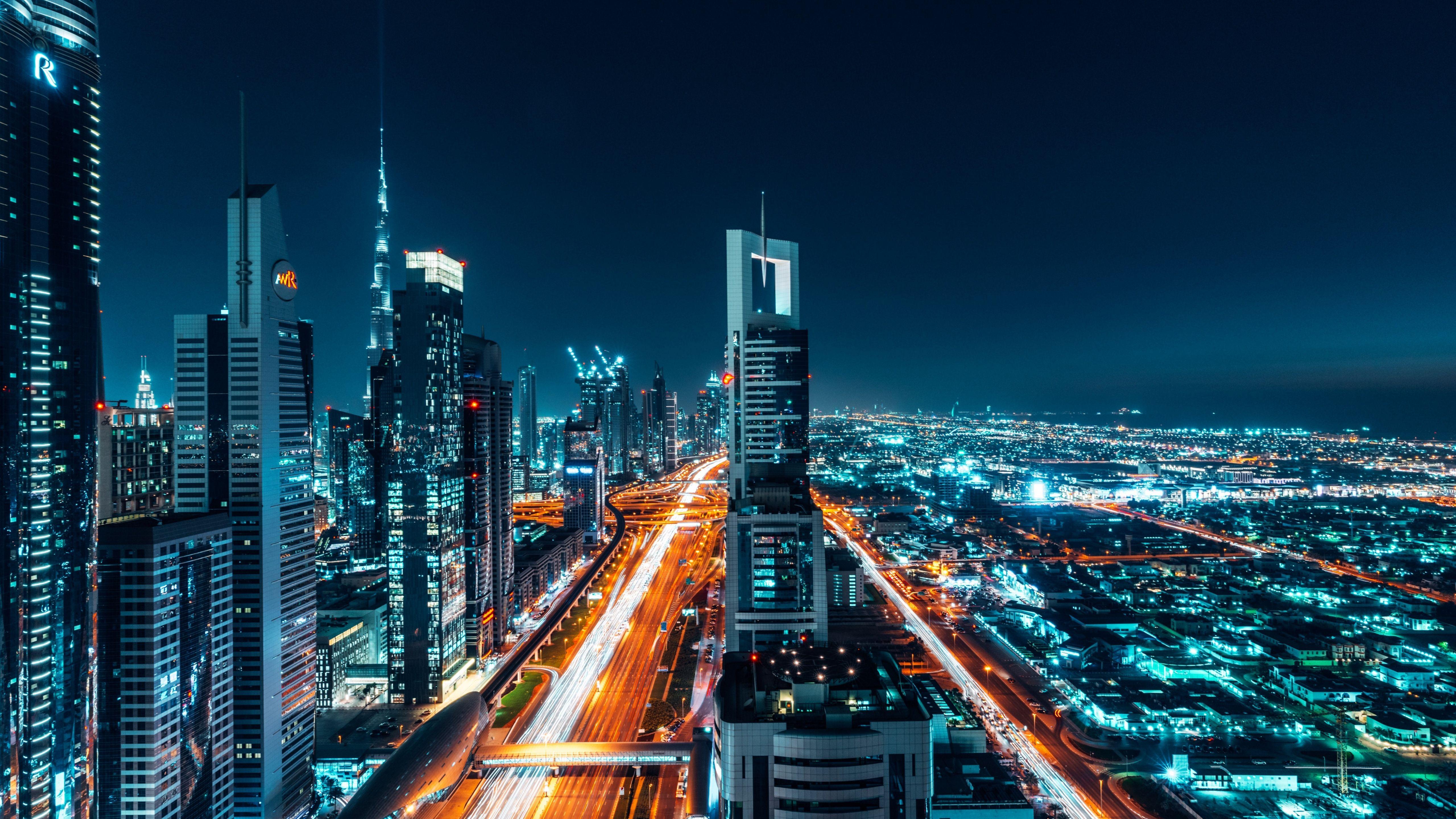
Dubai Skyline City Lights 5K Wallpaper
Ad • 970×250 / 728×90 / 320×100
About this wallpaper
This Dubai skyline wallpaper captures the city at night with bright highway light trails, glowing skyscrapers, and a wide urban view that feels clean and modern. The scene combines cool blue city tones with warm orange road lighting, creating a dramatic contrast that immediately stands out on a desktop screen. Because the composition stretches deep into the distance, it adds scale and energy without making the background feel cluttered.
One of the best details in this image is the balance between the skyline and the road network below. Tall towers rise sharply into the dark sky, while the illuminated highways guide your eyes straight through the center of the frame. In addition, the strong blue and cyan tones give the wallpaper a sleek nighttime mood, while the orange light streaks add warmth and motion. This makes it a great choice for users who want a city wallpaper that feels sharp, premium, and visually active.
At 5120×2880, this image works beautifully as a 5K wallpaper for larger desktop displays and high-resolution monitors. The lights stay crisp, the buildings remain defined, and the darker upper areas leave space for icons without taking away from the overall scene. It looks especially strong on modern setups, dark themes, and ultraclean workspaces.
What makes this Dubai skyline wallpaper a striking 5K desktop background
- Bold city contrast: cool blue towers and warm orange traffic lights create a vivid night view.
- Strong urban depth: the skyline and highways pull the eye into the full city scene.
- Clean desktop usability: darker sky space helps icons remain visible and organized.
If you enjoy sleek nighttime visuals, explore more in the Dark/AMOLED collection. You can also browse more cool-toned backgrounds in the Blue wallpapers section.
To learn more about how 5120×2880 fits into high-resolution display standards, visit Wikipedia’s display resolution guide.
Tip: place icons along the darker upper corners or side edges to keep the bright skyline and road lights fully visible.