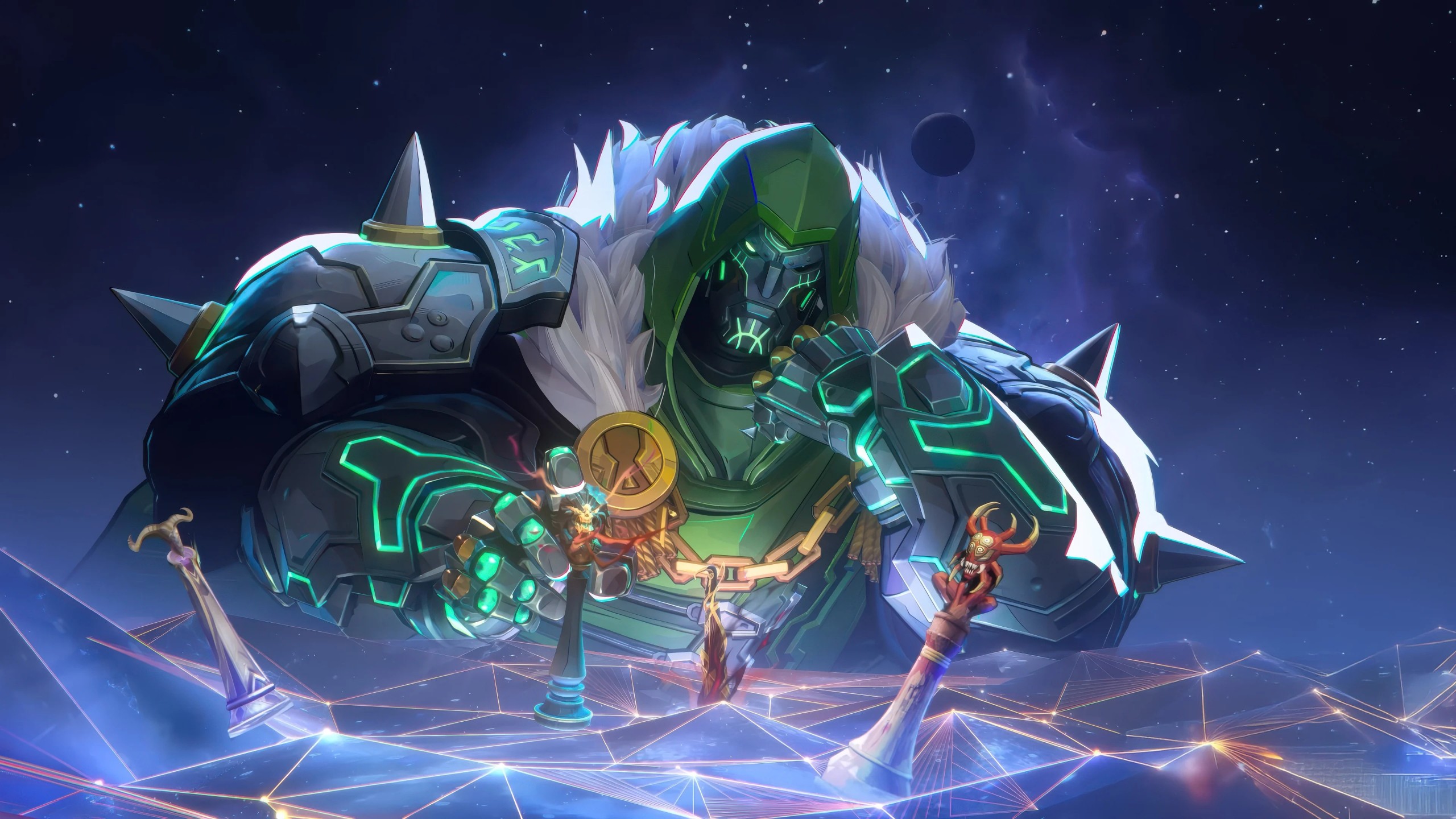
Marvel Rivals Doctor Doom Cosmic 4K Wallpaper
Ad • 970×250 / 728×90 / 320×100
About this wallpaper
This Doctor Doom wallpaper brings a powerful Marvel Rivals scene to your desktop with glowing green armor, cosmic lighting, and a dramatic strategy-focused composition. Doctor Doom dominates the center of the frame with heavy armor, a hooded silhouette, and neon green highlights that cut through the darker space background. The floating chess pieces in the foreground add a clever visual layer, giving the wallpaper a tactical, villain-driven mood.
The color palette makes this image feel sharp and futuristic. Green and cyan lighting create the main energy, while blue, purple, gray, black, gold, and white tones add depth across the space scene. In addition, the star field and digital grid lines give the background a larger cosmic setting. The result feels intense and cinematic, yet the composition still stays clean enough for daily desktop use.
At 3840×2160, this image works as a crisp 4K wallpaper for gaming setups, desktop monitors, and high-resolution screens. Armor edges, glowing accents, chess-piece detail, and space effects stay clean at full size. It is a strong choice for anyone who wants a Marvel Rivals background with villain energy, strategy, and bold sci-fi atmosphere.
Why this Doctor Doom wallpaper gives your desktop a calculated cosmic 4K presence
- Commanding character focus: Doctor Doom’s scale and armor make the wallpaper feel powerful right away.
- Strategic visual detail: the chess pieces add a smart, villain-focused layer to the composition.
- Sharp 4K finish: the glowing armor, space backdrop, and foreground details stay crisp on larger screens.
For more game-inspired backgrounds, browse the Gaming collection. If you like the glowing villain palette, explore more options in the Green wallpapers hub.
To understand how 3840×2160 supports crisp 4K desktop detail, review display resolution basics on Wikipedia.
Tip: Place icons along the darker upper corners or far left edge so Doctor Doom, the green armor glow, and chess-piece details stay clear.